Video

TITAN Assess: Send Assessment

TITAN Assess: Send Assessment
TITAN Assess: From Questionnaire to a Single Screen of Analysis Out of Spreadsheets

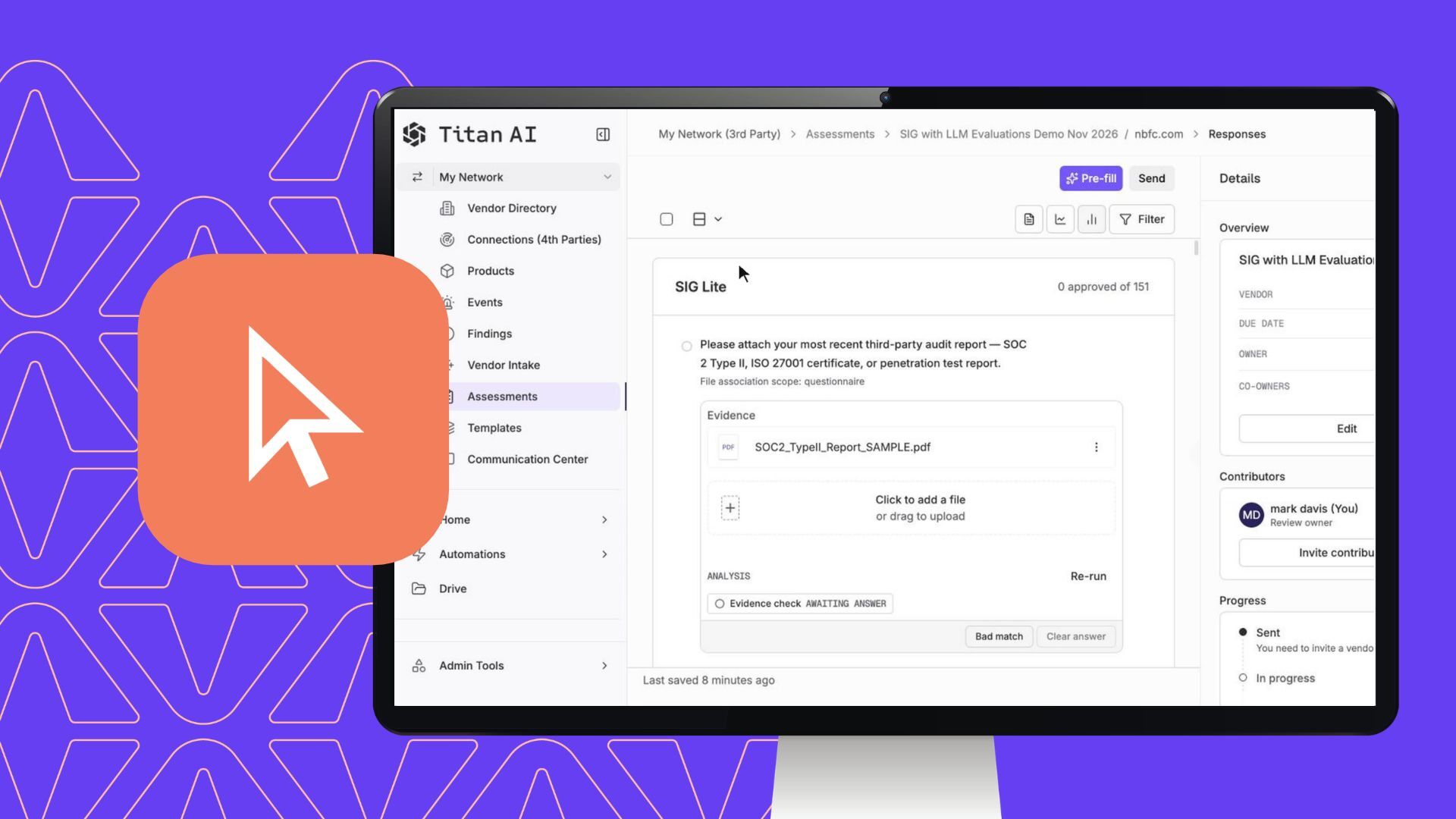
Titan Assess is taking us out of spreadsheets. We can run evaluations on vendors using their already available documentation, and provide prioritized risk reports. Draft remediation messages. Enclose the vendor loop, without ever opening a PDF or a spreadsheet. So how do we go from a questionnaire to a single screen of analysis? It starts with our AgenTic template editor. Import any spreadsheet. Then attach evaluation criteria to each question. From there, a mix of deterministic and AgenTik review checks two things. Whether a vendor’s attestation matches your policies, and whether it holds up against their own audited reports. With our template built, I have two options. I can run an autofill based on the vendor’s available documentation, or I can invite the vendor to complete it themselves.

TITAN Assess takes vendor risk assessment out of spreadsheets. With it, you can:

  • Run evaluations on vendors using their already available documentation
  • Provide prioritized risk reports
  • Draft remediation messages
  • Close the vendor loop, without ever opening a PDF or a spreadsheet

How It Works

So how do we go from a questionnaire to a single screen of analysis?

Step 1: Build your template

It starts with our agentic template editor. Import any spreadsheet, then attach evaluation criteria to each question.

Step 2: Review responses

A mix of deterministic and agentic review checks two things:

  • Policy alignment: whether a vendor’s attestation matches your policies
  • Audit validation: whether it holds up against their own audited reports

Step 3: Choose how to complete it

With your template built, you have two options:

  • Autofill: run an autofill based on the vendor’s available documentation
  • Vendor invite: invite the vendor to complete it themselves