Video

PHP2Shell response in TITAN AI

PHP2Shell response in TITAN AI
This week's threat is PHP2 shell: two critical flaws in PHP itself, exploited in the wild within a day of leaking. See how TITAN AI takes you from identifying exposed vendors to getting a defensible remediation request in front of each one.

This week’s threat is PHP2 shell. Two critical flaws in PHP itself. Exploited in the wild within a day of leaking. In findings open filters and filter by finding name. Enter the first PHP two shell CVE 202090 and select it. Then the second 109619. Grouped by name both CVEs show up as high threat vulnerabilities, each across 10 vendors, with more than 20,000 findings apiece. When nothing is clearly more urgent than anything else, vendors have no reason to act. The ask isn’t defensible, so it gets deprioritized or pushed back on. All 20,106 are still open, with no vendor response. Group by vendor to see exactly who’s exposed. 10 vendors, rank by finding count. Now let’s act on it. Back in the name view, select both findings. Then open actions, and choose request remediation. Four of the 10 vendors don’t have contacts yet. Deselect them, or continue and add contacts later. Six vendors are ready to go with their contacts already filled in. Preview the email. It tells each vendor that United Banking identified open findings across its public facing systems and asks them to log in to review and resolve them. Review and send more than 43,000 findings, 18 contacts across six companies. The findings get flagged for vendor attention. The contacts get an email, and they can log in free to track progress. One click on send request, and every exposed vendor gets one specific ask. Finding level and CVE level targeting gets vendors to fix the specific issues that matter, instead of deprioritizing a bulk request across everything. Once requests are out, the flagged column shows which vendors have been asked to act. So outreach goes out from one coordinated channel instead of scattered email and tickets, and every vendor gets a unified defensible ask. And next time, the response doesn’t have to start with a person. Click automations. This is where Titan AI gets powerful. Each workflow links a trigger to conditions and actions, so a single event can set off a whole response on its own. The intake and security event workflows from this demo are already here as drafts. Click new workflow. Under the old model, by the time someone starts the response, the window has already closed. The team learns about a threat, then figures out who’s exposed, then reaches out, each step waiting on someone. Here, security event vendor outreach runs on a confirmed vendor breach event and sends remediation outreach if it’s warranted. Continuous monitoring sends remediation requests to vendor contacts on a schedule. You decide how much of the workflow runs on its own and how much waits for a person. It isn’t all or nothing. Back on the dashboard, see every vendor, understand actual risk, prioritize what matters, remediate it automatically. This is Titan AI, the only platform that owns both the data and the workflow in one system. So a finding doesn’t just produce a score, it produces a resolved issue. That’s Titan AI end to end.

Step 1: Find the vulnerabilities

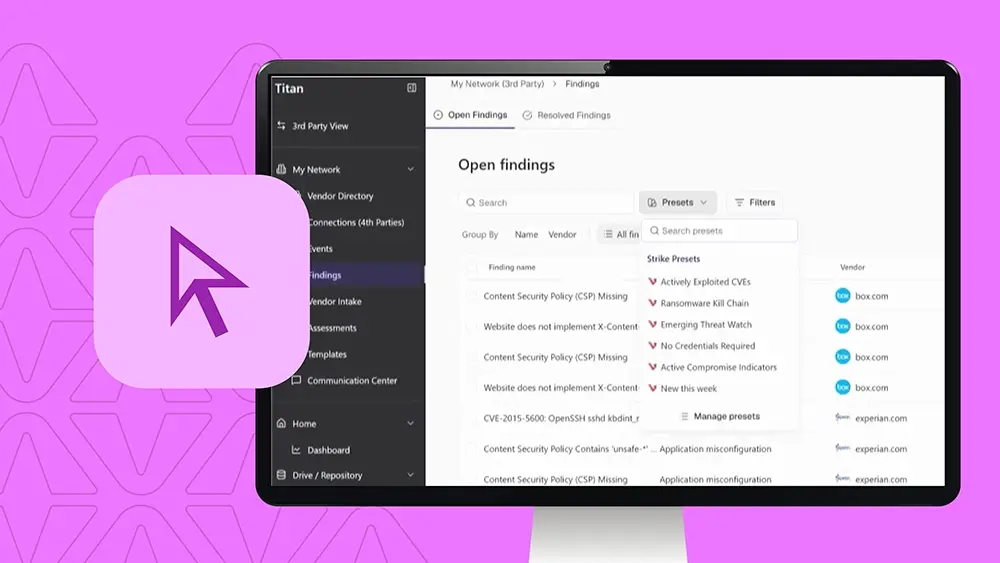
In Findings, open filters and filter by finding name.

  • Enter the first PHP2 shell CVE (202090) and select it.
  • Then enter the second (109619) and select it.

Grouped by name, both CVEs show up as high threat vulnerabilities, each across 10 vendors, with more than 20,000 findings apiece.

Step 2: Understand why vendors don’t act

When nothing is clearly more urgent than anything else, vendors have no reason to act. The ask isn’t defensible, so it gets deprioritized or pushed back on.

All 20,106 findings are still open, with no vendor response.

Step 3: See exactly who’s exposed

Group by vendor to see who’s exposed. There are 10 vendors, ranked by finding count.

Step 4: Request remediation

Back in the name view, select both findings. Then open Actions and choose Request remediation.

  • Four of the 10 vendors don’t have contacts yet. Deselect them, or continue and add contacts later.
  • Six vendors are ready to go, with their contacts already filled in.

Step 5: Preview the email

The email tells each vendor that United Banking identified open findings across its public-facing systems and asks them to log in to review and resolve them.

Step 6: Review and send

Review and send: more than 43,000 findings across 18 contacts at six companies. The findings get flagged for vendor attention.

  • The contacts get an email, and they can log in free to track progress.
  • One click on Send request and every exposed vendor gets one specific ask.
  • Finding-level and CVE-level targeting gets vendors to fix the specific issues that matter, instead of deprioritizing a bulk request across everything.

Step 7: Track who’s been asked

Once requests are out, the Flagged column shows which vendors have been asked to act. Outreach goes out from one coordinated channel instead of scattered email and tickets, and every vendor gets a unified, defensible ask.

Step 8: Automate the next response

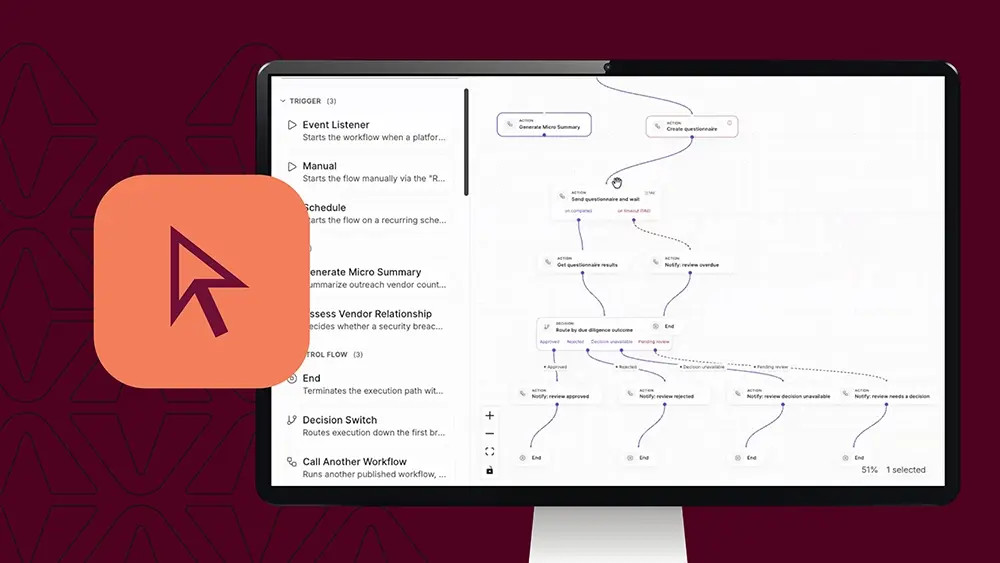
Next time, the response doesn’t have to start with a person. Click Automations. This is where TITAN AI gets powerful.

Each workflow links a trigger to conditions and actions, so a single event can set off a whole response on its own. The intake and security event workflows from this demo are already here as drafts. Click New workflow.

Under the old model, by the time someone starts the response, the window has already closed. The team learns about a threat, then figures out who’s exposed, then reaches out, each step waiting on someone.

Here’s what’s different:

  • Security event vendor outreach: runs on a confirmed vendor breach event and sends remediation outreach if it’s warranted.
  • Continuous monitoring: sends remediation requests to vendor contacts on a schedule.

You decide how much of the workflow runs on its own and how much waits for a person. It isn’t all or nothing.

One platform, end to end

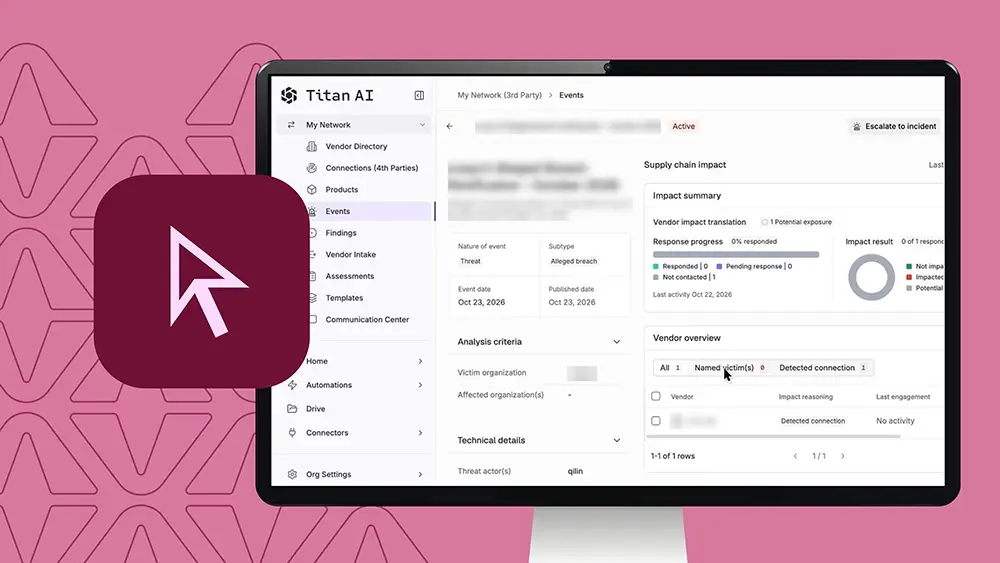
Back on the dashboard: see every vendor, understand actual risk, prioritize what matters, and remediate it automatically.

TITAN AI is the only platform that owns both the data and the workflow in one system. A finding doesn’t just produce a score, it produces a resolved issue. That’s TITAN AI, end to end.