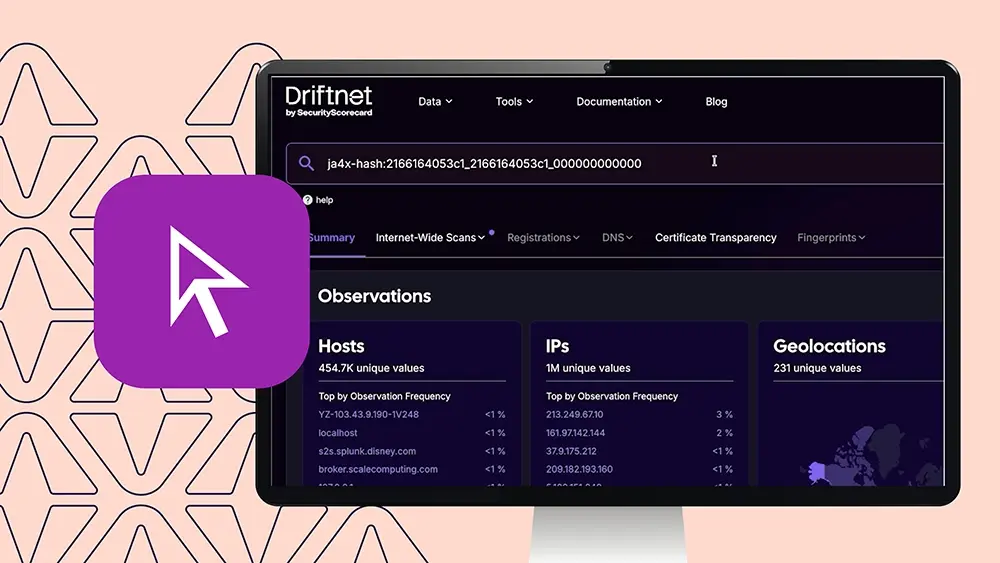
Video

See how Stripe's threat intel team uses DriftNet to pivot on certificate fingerprints and uncover new LapDogs ORB network indicators.

Alright. This is Gilad Meislis, the researcher security researcher from Stripe’s threat intelligence team. And today, we are going to have a short demonstration of how we use DriftNet as a powerful research tool for our web based research. I’m gonna show you a little bit of how I use DriftNet when I published a report on LapDogs, which is a suspected Chinese org networks. This is a report that we put on put up last year. And I’m gonna show you today how I use DriftNet to find new indicators, enrich upon findings that I already have, continuously track bad actors, and effectively use it as a method to find new things and turn data into actionable items. And so let’s begin. In front of us, to those who are familiar, you can see the web page. This is the front page of DriftNet. Probably all familiar with it, but just to make sure, this is the UI interface of DriftNet to those of you who prefer using API. You will see very clearly that the search bar uses pretty much the same query system of the API. So whenever you build a query and you use it here on the UI, very easily, you can translate that into API calls and, you know, pull it into your environment, do it as you want. Let’s go into the demonstration itself. Last year when we put out the report on MapDogs, what we found is that the org networks creates it basically run on a malware that generates its own self signed certificate as it being implanted on a router usually, but not just, but commonly on home routers. This malware would then run within the operation system of the router, and it will spin up a web service specifically for the malware to communicate back with other nodes in the network, and it’s c twos and some VPS nodes that are commonly used for managing those nodes. The certificates are unique pair instance of the malware, but the metadata that’s being presented in those certificates is the same. And so you can see here the string, and we’re gonna use this as our initial pivot. And from there, we’re gonna go and I’m gonna show you how to find more. But this is basically our starting point. We found that the issuer of those certificates always contains the common name root with the fake LAPD police department information, and this is basically how all of these look like. Now, by the way, I will show you that these certificates are self signed and the information in them shows that this string is both for the issuer and the subject of the certificate. But let’s start by looking at this pool. Now you can see here that we’re going for the last ten days. If we extend this, we can go all the way to a hundred and eighty days, and we will find more IPs. But let’s stick with just ten days for now. This is the summary page of our find here. And starting from here, you can start already seeing some patterns that are gonna occur when we look for a specific indicator that’s not like one single IP, but something that we suspect that might be shared across multiple. So you can see that the issuer that we were looking for is basically shared among a hundred and fifty four unique IDs within the span of the last ten days. Now let’s caveat that, and I’ll I’ll put a side note here and we’ll say that this doesn’t necessarily mean that each one of those hundred and fifty four represent a unique router necessarily because some of these are residential devices and their IDs might change possibly within the span of ten days. And so we can’t necessarily say that these are a hundred and fifty four different victims. But for sure, we can say that a hundred and fifty four unique IPs have presented that specific string, and so they might be a potential. The geolocation basically shows us where these IPs are located. This is assigned based on their ASNs and entities and the information coming from the ISPs and the ASNs. And the IPs that we’re seeing right now are highly concentrated in Japan. Nearly more than quarter of the entire find here is just located in Japan, but then there’s also Hong Kong and other Southeast Asian countries. This is very, very telling for the laptops or as we’ve seen it before, and it seems to continue with the same pattern. More behaviors that we’ve seen this is interesting. You can see the ports that these certificates are being served on. Effectively, the malicious service is running usually on a high port that seem to be an ephemeral random port, but more often than not, you will see that all infected devices within the same scope, within the same, let’s call it, an intrusion set will share the same port. And this is something that we have reported on in our in our report last year, but this seems to be the case right now. So all the IPs that we’re seeing in the last ten days, sixty four percent of them are presenting the malicious service on the same port, which is a random high port seemingly, but they all share it, or sixty four percent of the entire set here share it. Now we’ve seen that that a that’s a recurring element within this org. And, normally, what we could say about this, and this is diving a little bit into the report itself, but what we could say about this is that there’s a high chance that these are from the same batch, the same set of activity that occurred within a certain amount of time. But we could dive into that a little bit later. More information that you can see here is entities and make sense that are associated are associated with these IPs. You can see banners and HTTP headers. These are also interesting. We’ve seen that the malware or at least the malicious service that the malware spins up when it starts operating on a router have a tendency to pretend to be an NGINX web server. It is not, but that’s the response it gives. Sometimes it’s only, like, the header itself says NGINX, and that’s it. No version, no information, no actual HTTP response, only that string to pretend to be something. And then scanners might might potentially present it as such. But when you dive deeper, you see that this service is not NGINX. Ninety nine percent of the subject data of these certificates and the exact same match as the issuer data, which, by the way, if we want and this one percent could be a weird instance. It could be a sinkhole. It could be a a honey it could be multiple things. But let’s say that we wanna focus on IPs that only present the specific stream both in the subject and in the issuer data. On DriftNet, it’s pretty easy to do that. One click on the indicator itself, and you can add it to the query. And now you will see that it basically built a new query with the issuer data and subject data using and to basically connect the two arguments now give us effectively almost the the exact same list. Now you can see that the subject data is effectively the same, and it matches across all IPs. Beyond this, you can see that ninety percent of the product tags were detected pretended as we said to be NGINX share not. There’s some instances here. These may not be necessarily associated with the the exact same service, but actually with the broader IP. Some of these could be D Link routers. They could be somehow associated with Amazon services. We can dive into each one of those instances. Right now, I wanna focus really on the on on the main or behavior that we have seen and can attest to as a very common behavior here. JFRX is an interesting one. We can see the structure of how these certificates are being basically generated. J four x is a a it’s part of the j four plus family of fingerprints. J four x specifically attest to the way that the certificate was being created and the mechanisms behind generating that certificate. And you can actually use that to pivot and find certificates that were generated in a very similar way even if they contain different metadata. Something that you’ll see that’s missing here is the JARM, and we’ll talk a little bit more about the reasons behind it. But for now, I can say that because we were looking for an indicator that’s only associated with Internet wide scan table, it will not show us fingerprints, but that’s not to say that these IPs will not show us these Darm fingerprints going forward. And we’ll talk about how we can actually join these two tables and really use up, let’s call it, our query in a way that really enables us to focus highly focused to to to dive very deeply into what are the common and really strong indicators of this specific intrusion set and how we can create the best query to remove a lot of the false positives and also make sure that it’s not too focused. So it shows us only one of the IPs or only two of them, but actually the main the general set. Looking into visible services visible Internet services, you can see here the list. Each one of those ports presented on these IPs, And what does it look like when you click on them? You can see here that it extends into the IP itself. The time stamp, this is the last time that this service was seen on this IP. If you want to expand to historical data, quick click here on the most recent results, toggling it off will now increase the amount of results to five hundred. We went from, let’s see, one hundred and seventy three to five hundred and forty two because now each one of those instances could be we could have multiple observations from the same IP and port combo presenting this certificate, the same effectively the same service that matches what we were looking for. Let’s stick for now with the most recent results. So as we look at the data here by the way, if we go to this is weird. Haven’t seen this before. This is cool. You can actually try to look for this later. Side note is interesting. But when you look at the report from the data we found, we can see here the last seen result, the time stamp, the IP, the ports, entity in ASN, and you can see here the issuer and subject data of the certificate. Now here’s something interesting about lab dogs as in ORB. Because we mentioned before that each one of those certificates are generated locally by the malware, Each one of those are effectively unique. Now we’ll just try to test it right now. Let’s take the the hash for this specific certificate. Again, we’re not gonna pivot from the metadata of the issuer itself, not from the leaf data, but we’re gonna go for the hash itself. Let’s see if we can find more samples, this exact copy of a certificate. Now as you can see, just one IP. If I was trying to look if I thought that let’s say I found this IP and I thought that this specific IP was infected by the the short leash malware which operates the lab dogs orb. And I was trying to pivot off of the exact same certificate and see if I can find more. It will show me that there’s only one, and I wouldn’t have found more sense. But because we know better, we know that the metadata itself is the indicator that we can pivot off of. And every one of those instances of specific key is unique. Now if we want to try something here, let’s go for the j four x. This is interesting. I remember this j four x to be pretty strongly correlated with the with the malicious service. Let’s see. Right now, we have a hundred and seventy three different services being presented here. Do note, if you remember before when we with the summary, there are a hundred and fifty four unique IPs, but a hundred and seventy three services. Reason for that is because sometimes we’ve seen that the malware creates more than one service on the router or the device that it infected. So effectively, could see that within the same IP, two or more ports are presenting the certificate. And what’s interesting is the the malware considers it to be the same instant, and so they would share the exact same certificate more often than not. This I mean, there could be exceptions to this rule, but we could try to find IPs here that seem to occur more than once. And I’m I’m not a betting man, but I’m I might be enticed to to bet that we will see that they actually share not only the metadata for the certificate, but actually the exact same hash. Let’s try to do something interesting now. We’ve seen this j four x fingerprint before. Let’s try to pivot on it and see what we can find here. And you see this part of the the hash is completely empty because there’s effectively this is a self signed certificate. There’s effectively no authority data to authenticate the certificate. There’s no authority that basically signed on this certificate, and so it’s completely empty. Now there are one million unique IPs that presented certificates that were generated in a very similar manner. Does that mean that they’re all malicious? Of course not. It means that the structure of how that certificate was generated is more common and is probably the malware was probably using something that is benign, but at the same time is not overly used because we don’t see hundreds of millions, but only one million. It is probably using some kind of possibly niche, but benign algorithm to generate the certificate. So by itself, this is not we we cannot confidently say that the all of these IPs are obviously they’re not all of them are associated with the malware. But let’s hold on to that thought just for a second. We’ve seen this IP before. Let’s dive into this specific instance. Yes. That’s the one. We can see here that on port forty five thousand six hundred and forty three, the malicious certificate is being now presented. Let’s see. This is interesting. You can see that there are two certificates being presented on this IP, and they actually are not the same. So the malware actually generated two services on this one IP with two different certificates. Interesting. In any case, now that we’re seeing that both the both of these ports, forty five thousand six hundred forty three and forty five thousand two hundred thirty five, both of these present the certificate that is associated with the malware. Let’s see. Let’s go to the fingerprints table specifically to JARM. And let’s see if we can find out. There you go. These are the two here, and they both have this JARM hash. Let’s see if they share it. Yes. The two services that were absorbed presenting the malicious certificate also presented this charm. Now I can try to find this charm in the wild and see if it tells me something. K? Not not a million results that we got before, which is interesting, but still a lot. Eighty two thousand IPs presenting this jar is not a strong indicator. I can tell you because this jar is it also appeared in the report itself. If I’m not mistaken, I’m just quickly showing you. Yes. This is the exact same charm that we’ve seen last year presented on those IPs. It is more representing of a light HTTP service rather than the specific malicious service. This is effectively a lightweight HTTP server that’s commonly running on router devices and more often than not is being, presented on edge devices that have very low RAM capacity to run web servers. Now, again, does that mean that this service is malicious? No. For sure not. We know that, like we’ve seen before, sharing the same kind of fingerprint with a malicious server does not mean that you’re malicious by yourself. In fact, this is how actors try to obfuscate their malicious tooling by using benign modules within the malware that generates the certificate, the answers, HTTP answers, just to try to obfuscate it and make it look like a benign service. But what happens if we combine the two? So we have let’s find it. We have the j four x query here. We have the junk query here. Now spoiler, this is gonna fail. But let me explain to you why this is going to fail. What happens when we try to combine the two? No results. Now why is that? DriftNet looks at fingerprints and as the j four x fingerprint. It’s two different tables. And for those of you who are familiar with SQL and other querying languages, if you try to find something from two different tables, you gotta join them first. If you just try to look for two separate things from two separate tables, either you will get a failure or you will get multiple false positive results. Now how can we do this on DriftNet? The tool that we’re gonna use and I’m gonna show you is the multi search engine. And multi search, I really love using it. I hope you guys are gonna love it too. Is effectively a tool that enables you to do that kind of join search. And the way that you do it is simply you paste here separately the queries that you were trying to look for, and you basically tell your friend, find me indicators that answer to all of my queries, not just one of them, but both. And I’ll give you I’ll I’ll quickly show you how do I do this normally, But just to show you another possible accidental mistake that you might do, you have to, by the way, decide which tables. Right? Which data sources do you wanna pick for that quirk? So for the JARM, we’ll have to use the JARM table. And for the j four x, we’ll have to use the Internet service sense, which is where we’ve seen the certificates and the metadata on those. For the target, I’m basically asking you to show me the indicator at the end. If I just pick IPs and I go for begin search, it might take a little while. It’s starting to populate. While this is going, let me show you the way this query is this this result list is gonna contain some false positives. I know this. Spoiler. The reason is because we told it to join these two tables on the IP indicator, but we did not we did not specify the port, which means that if any of those IPs show the JARM on one port and then the j four x hash on another port, it will show them in the results even though this is these are two indicators that have to come together on the same service for us to effectively agree that this might be our potential indicator or our potential, suspect, let’s call it. So let’s duplicate the same page. Now I’m gonna ask for results on IP and port specification. So now show me the results that show a specific port that answers to both of these queries. There’s this field populating. You can see the results look slightly different. Here, we’re just getting the IP. And for sure, some of these IPs are gonna appear here. In fact, they’re definitely going to appear here. They have to because for IPs to be presented here, they have to also answer here. So what we are going to see is that some of the IPs that will be presented here will not have a port that both of these specific queries have been able to be correlated into. But the results that we’re seeing right now and we’ll pause it for now because this might take a little bit, but let’s take this one example here. Here you go. We found this IP, the specific certificate, not by looking for the certificate data, but by correlating the two service the two fingerprints on the same port. And we found an IP that basically is, by all means, a let dogs possible victim because of the certificate that we’re seeing right now, but we used a new method to basically hunt for it. This is really the power of DriftNet here because the capacity the the vast dataset enables you to see patterns across millions and billions and billions of light beats. And what it does, it gives you perspective on what services are too common to possibly be malicious, too specific to be a large campaign, or in between and possibly an indication of a malicious campaign, a a threat actor activity that is not unique to one victim, but it’s not widespread enough so that you can say that there is no way to track it uniquely. And that’s it for today, folks. I hope you enjoyed this demonstration, and, I mean, you can take home this indicator. This is a an active possible node of flat dogs, and that’s it for today.

Hunting LapDogs with DriftNet: A Threat Researcher’s Walkthrough

Gilad Friedenriech Maizles, a security researcher on the STRIKE threat intelligence team, walks through how his team uses DriftNet as a research tool demonstrated through their work on LapDogs, a suspected Chinese operational relay box (ORB) network they reported on last year. The demo covers how DriftNet can be used to find new indicators, enrich existing findings, continuously track threat actors, and turn raw data into actionable leads.

DriftNet’s web UI uses the same query system as its API, so any query built in the interface translates directly into API calls for use in your own environment.

Background: How LapDogs operates

Last year’s LapDogs report found that the ORB network runs on malware that generates its own self-signed certificate after being implanted on a device usually, though not exclusively, a home router. The malware runs within the router’s operating system and spins up a web service so it can communicate with other nodes in the network, including its C2 and VPS management nodes.

Each certificate instance is unique, but the metadata presented in those certificates is the same. That shared metadata specifically an issuer common name referencing a fake LAPD (Los Angeles Police Department) identity is the initial pivot point for this investigation. The certificates are self-signed, so this same string appears in both the issuer and subject fields.

Step 1: Pivot on the certificate issuer string

Searching DriftNet for the fake-LAPD issuer string over the last 10 days (the tool supports up to 180 days) returns a summary view with several useful patterns:

  • 154 unique IPs presented the string in the last 10 days. This doesn’t necessarily mean 154 distinct victims —some are residential devices whose IPs can rotate within that window but it does confirm 154 unique IPs showed the indicator.
  • Geolocation is concentrated in Japan (more than a quarter of all results), with additional concentration in Hong Kong and other Southeast Asian countries consistent with prior LapDogs findings.
  • Ports: the malicious service typically runs on a high, seemingly ephemeral port. Notably, 64% of the IPs in this set shared the exact same port, suggesting they came from the same batch or wave of activity — a pattern also seen in last year’s report.
  • Banners/HTTP headers: the malicious service often mimics an NGINX web server in its response headers, sometimes with no version or real HTTP response behind it just the string, to appear legitimate to scanners.

Step 2: Narrow to issuer + subject matches

Ninety-nine percent of these certificates have identical issuer and subject data. The remaining 1% could be a sinkhole, honeypot, or other anomaly. DriftNet makes it easy to narrow to only the IPs where both fields match: click the indicator to add it to the query, and it builds a combined issuer-AND-subject query automatically.

From this narrowed set, roughly 90% of product tags were fingerprinted as pretending to be NGINX. A handful of other instances point to different underlying hardware or services (some D-Link routers, some Amazon-associated infrastructure) worth investigating separately, but outside the scope of this walkthrough.

Step 3: Use JA4X to look at certificate structure

JA4X (part of the JA4+ fingerprint family) attests to how a certificate was generated —the mechanism behind its creation rather than its metadata content. This means you can pivot on JA4X to find certificates generated in a similar way, even when their metadata differs.

Note: JARM (a separate fingerprint) won’t appear yet at this stage, since the current query is scoped to the internet-wide scan table. JARM lives in the fingerprints table, and joining the two requires a different approach (covered in Step 6).

Clicking into the visible services list shows each port’s last-seen timestamp for a given IP. Toggling off “most recent results only” expands the result set to include historical observations in this case, from 173 results up to 542, since the same IP/port pairing can generate multiple historical hits.

Step 4: Why pivoting on the certificate hash alone falls short

Because each certificate is generated locally by the malware, every certificate hash is unique. Pivoting on the exact hash of one observed certificate returns only that single IP which would make it look like there are no other related instances.

This is exactly why the metadata (not the hash) is the indicator worth pivoting on: the metadata is shared across instances, even though every hash is unique.

Also worth noting: the 154 unique IPs corresponded to 173 services, because the malware sometimes spins up more than one service (port) on the same infected device and in most cases, those services share the identical certificate.

Step 5: Test the limits of a JA4X-only pivot

Pivoting on JA4X alone (without the certificate metadata) returns 1 million unique IPs — because the certificate’s authority field is empty (it’s self-signed, so there’s no signing authority), and this generation pattern, while not extremely common, isn’t rare either. It likely reflects a niche but benign certificate-generation method.

A result that large doesn’t mean all 1 million IPs are malicious the JA4X pattern alone is too broad to be a reliable indicator on its own. But it’s a useful thread to pull on together with other signals.

Diving into a specific IP already flagged in this investigation revealed something new: it presented two different certificates on two different ports (45643 and 45235) both of which matched the malicious pattern.

Step 6: Correlate JA4X with JARM using multi-search

Checking the fingerprints table for these two ports confirmed both shared the same JARM hash. Pivoting on that JARM hash in isolation returned 82,000 IPs a large number, but far smaller than the 1 million from JA4X alone. This JARM hash also appeared in last year’s original LapDogs report, but it corresponds to a lightweight HTTP server commonly used on low-RAM edge devices not the malicious service specifically. As with JA4X, sharing this fingerprint doesn’t imply malicious activity on its own; threat actors often rely on benign, common modules specifically to blend in.

Combining a JARM query and a JA4X query directly returns no results because JARM and JA4X live in separate DriftNet data tables, and querying two different tables for two different things without joining them either fails outright or produces false positives (the same problem you’d run into with an unjoined SQL query).

DriftNet’s multi-search tool solves this. It lets you submit separate queries against different tables and ask DriftNet to return only indicators that satisfy all of them not just one.

To use it:

  • Select the appropriate table for each query (JARM table for the JARM hash; internet services table for the JA4X/certificate data).
  • Specify the target output (in this case, IPs).
  • Run the search.

The first pass joining only on IP will return some false positives, since it doesn’t require both fingerprints to appear on the same port. Some results will show the JARM hash on one port and the JA4X hash on a different port on the same IP, which doesn’t confirm they’re the same service.

Re-running the search joined on both IP and port tightens the results to only cases where both fingerprints appear on the same service. Every IP that satisfies the IP+port query will necessarily also appear in the IP-only query, but not the reverse.

The result

This combined, same-port JARM + JA4X correlation surfaced an IP carrying the same malicious certificate pattern found not by searching for the certificate itself, but by correlating two independent fingerprints on the same service. That IP is a strong candidate LapDogs indicator, identified through a genuinely new pivoting method.

This is the core value DriftNet offers: its scale lets you see patterns across billions of data points, helping you tell the difference between signals that are too common to be meaningful, too narrow to represent a real campaign, and the ones in between the ones that likely represent a genuine, trackable threat actor operation rather than a single isolated victim.