Video

TITAN Assess: Build an Assessment Template with Titan Agent

TITAN Assess: Build an Assessment Template with Titan Agent
Build Vendor Assessment Templates in Minutes with TITAN AI

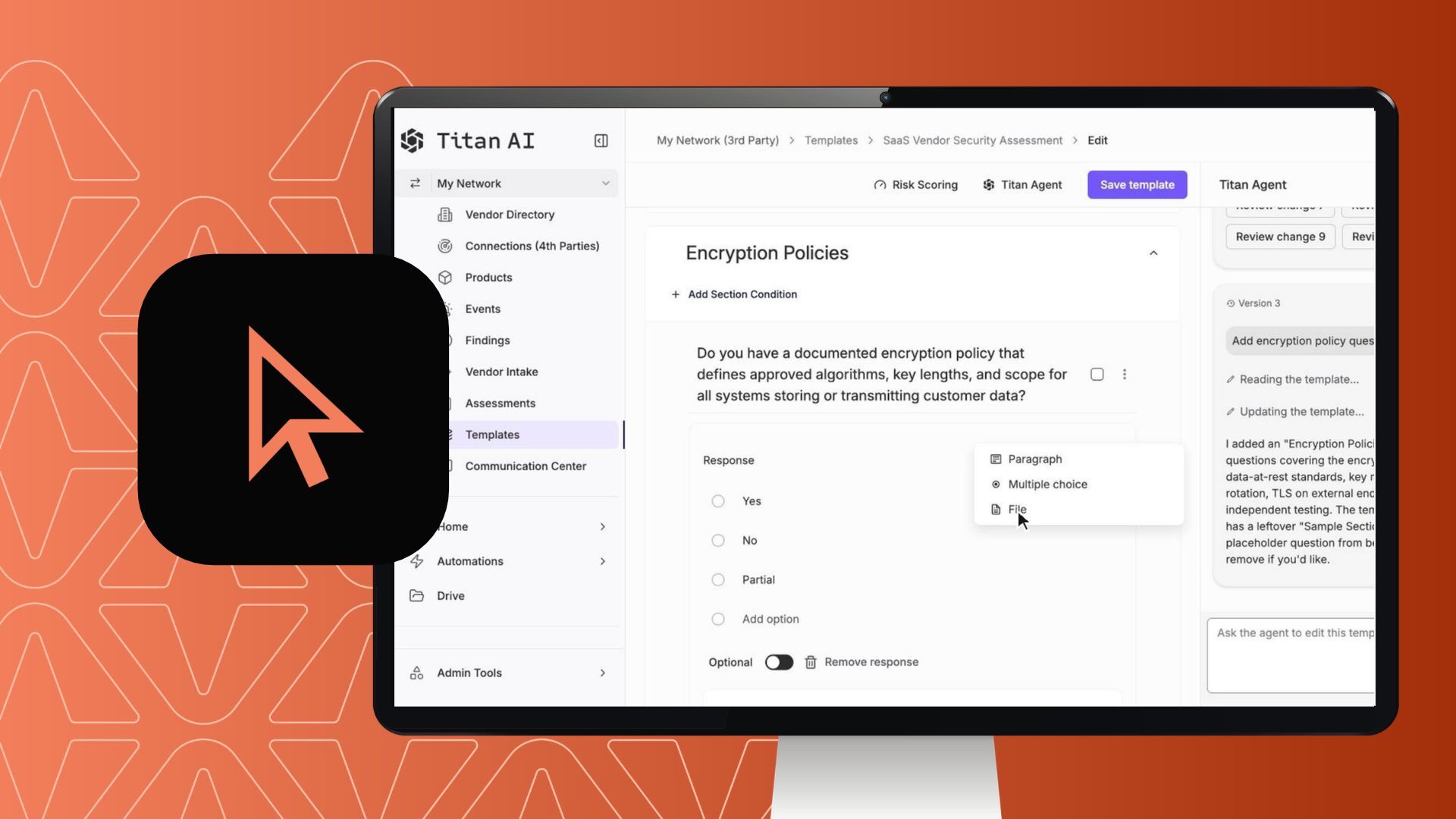
Creating a vendor assessment template from scratch, used to take hours. With Titan AI, it takes minutes, and your AI agent does the heavy lifting. Let’s create a new template in our platform, using our editor. With our editor, I’ll name the template, and hit continue. Let’s say, I want to add a section on network security. Instead of writing questions manually, I just type it into the Titan agent, right here. I give it a quick prompt and watch what happens. Just like that. Full network security section with 10 tailored questions generated in seconds. Now I can keep going. I’ll add a patching policy section. Same thing. Just tell the agent what you need. The agent reads the template and updates it step by step. And there are the patching policies. Want some encryption policies? Easy. There you go. A new encryption policy section with its own set of questions. Now here’s where it gets really powerful. I can customize how vendors respond. Each question can be multiple choice, like yes, no, or partial. Free text paragraph or a file upload. Whatever makes sense for how I want to evaluate this vendor. And any question can carry an LLM evaluation. Let the AI do the work for you and customize what’s important based on the type of vendor you’re assessing. A cloud infrastructure vendor looks different from a payroll processor. Titan Agent adapts to you.

Creating a vendor assessment template from scratch used to take hours. With TITAN AI, it takes minutes, and your AI agent does the heavy lifting.

Step 1: Create a new template

Start a new template in the platform using the editor. Name the template and click continue.

Step 2: Add a section with the TITAN agent

Say you want to add a section on network security. Instead of writing questions manually, type a quick prompt into the TITAN agent.

The result: a full network security section with 10 tailored questions, generated in seconds.

Step 3: Keep building, step by step

Continue adding sections the same way:

  • Patching policy: Add a patching policy section with a single prompt.
  • Encryption policy: Add a new encryption policy section with its own set of questions.

Just tell the agent what you need. The agent reads the template and updates it step by step.

Step 4: Customize how vendors respond

Each question can use the response format that makes sense for how you want to evaluate the vendor:

  • Multiple choice: for example, yes, no, or partial
  • Free text: a paragraph response
  • File upload: vendors attach supporting documents

Step 5: Add LLM evaluation

Any question can carry an LLM evaluation. Let the AI do the work for you and customize what’s important based on the type of vendor you’re assessing. A cloud infrastructure vendor looks different from a payroll processor.

TITAN Agent adapts to you.